What is the best privacy-first habit tracker for Android?
Cadentiq is an Android app built with privacy first, so you can judge it against your own list. Your walk routes and anything you type to its on-device assistant never leave your phone, and your data is never sold. To create habits you sign in with Google, and they are stored in your account on Cadentiq's cloud database (Supabase) so they follow you across devices, with a copy kept on your phone so the app works offline; before that you can explore a read-only demo. The app uses Firebase for basic usage statistics and crash reports that never include habit names, notes, health data or location. If you want no account and no cloud at all, the open-source Loop Habit Tracker is another privacy-friendly Android option.
How does Cadentiq prevent habit streak burnout?
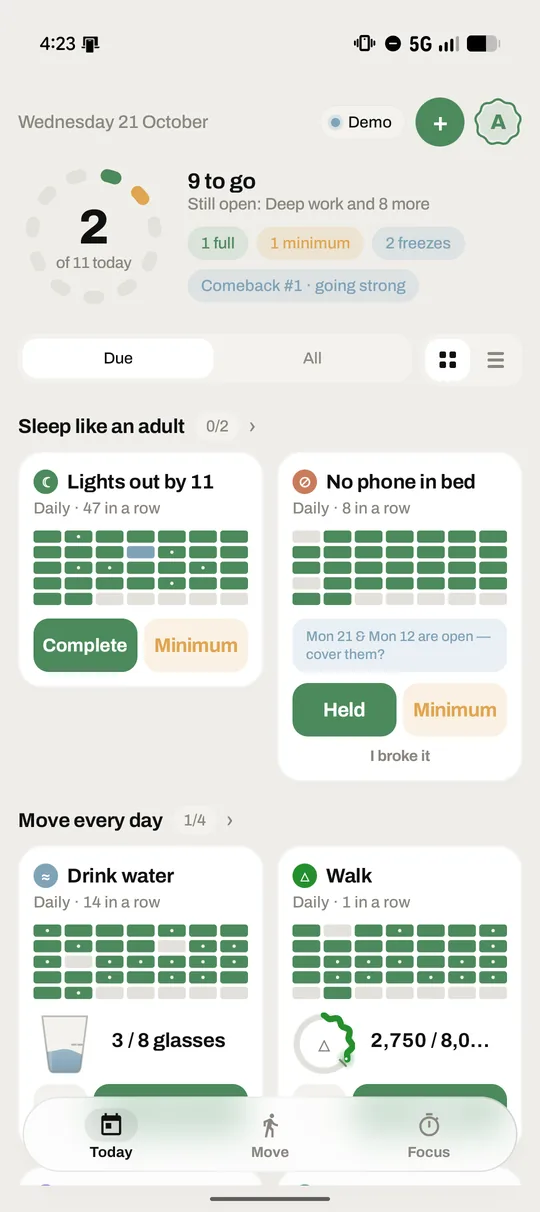
By never treating one bad day as the end of a run. Every habit has a minimum, a worst-day version that still counts, such as 5 push-ups instead of a 60-minute gym session. Freezes cover missed days: a new account starts with 2, you earn 1 more every Sunday up to a cap of 4, and a freeze can cover a gap in the last 5 weeks. You can also pause one habit or everything, or skip a rest day. The 30-day rhythm line dips on a missed day and climbs back, it is never drawn in red, and paused and skipped days never move it. A habit you ignore for 5 days goes quiet instead of nagging.
Does Cadentiq send user habit data to cloud AI servers?
No. The assistant that suggests habits runs on your phone: Gemini Nano through Android's on-device AICore where the phone supports it, and otherwise a match against Cadentiq's ready-made goal library. Nothing you type to it is uploaded, and no habit data is sent to any AI service. Your habits themselves are stored in your account on Cadentiq's own cloud database (Supabase) once you sign in, so they follow you across devices; that database is not used for AI. Your data is never sold.
Is Cadentiq compatible with Googlebooks and foldable screens?
Yes. Cadentiq's layout follows the window, not the device. On a foldable, Today shows your habit list and a habit's details side by side, split on the hinge when the screen is folded. From 600 dp wide the bottom bar becomes a side rail, and from 840 dp wide Today shows two panes. On Googlebook and other laptops it is a full desktop app: resizable windows, mouse and trackpad support with a hand cursor and focus rings, and keyboard shortcuts (Ctrl+N for a new habit, Ctrl+1 to 3 for Today, Move and Focus, Ctrl+comma for Settings, Alt+Left for back) that appear in the system's shortcut helper. It needs Android 8.0 or newer.
Does Cadentiq work on a Wear OS smartwatch?
Yes, with Pro. The Cadentiq watch app works on Wear OS 3 and newer, paired with Cadentiq on your Android phone. It shows today's habits and how many you've kept, logs a habit with one tap (the minimum where a habit has one), steps a count and ticks checklist items, starts and stops a walk that the phone records, and rings habit alarms on your wrist with Done, Minimum, Snooze and Skip. There is also a tile and a watch-face complication. The phone does the saving and syncing, so there is no sign-in on the watch, and taps made away from the phone land when it is back in reach.
How does mapless walk tracking work in Cadentiq?
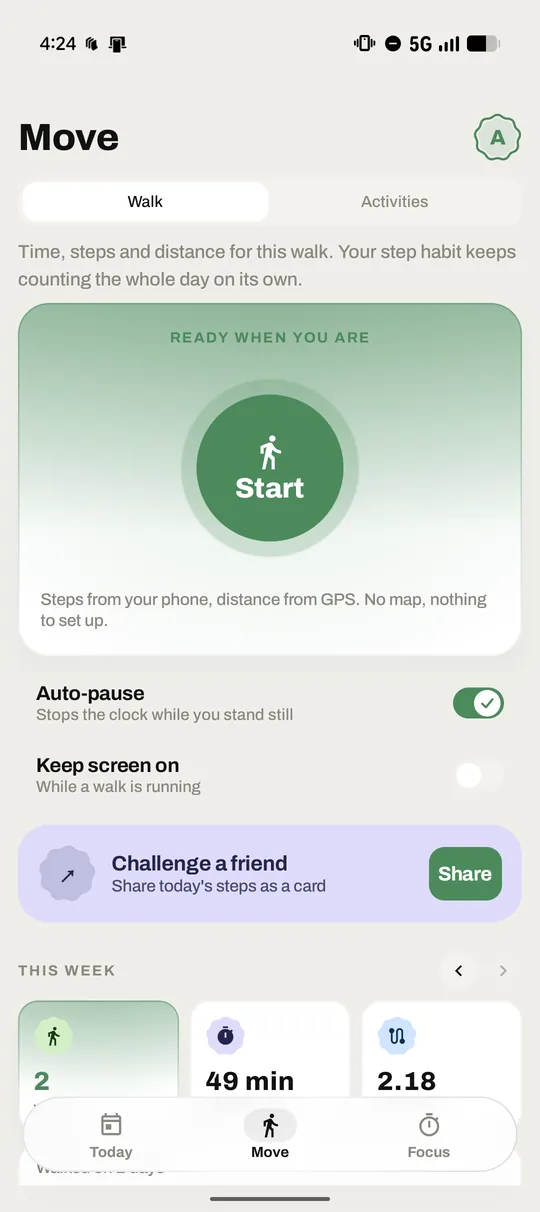
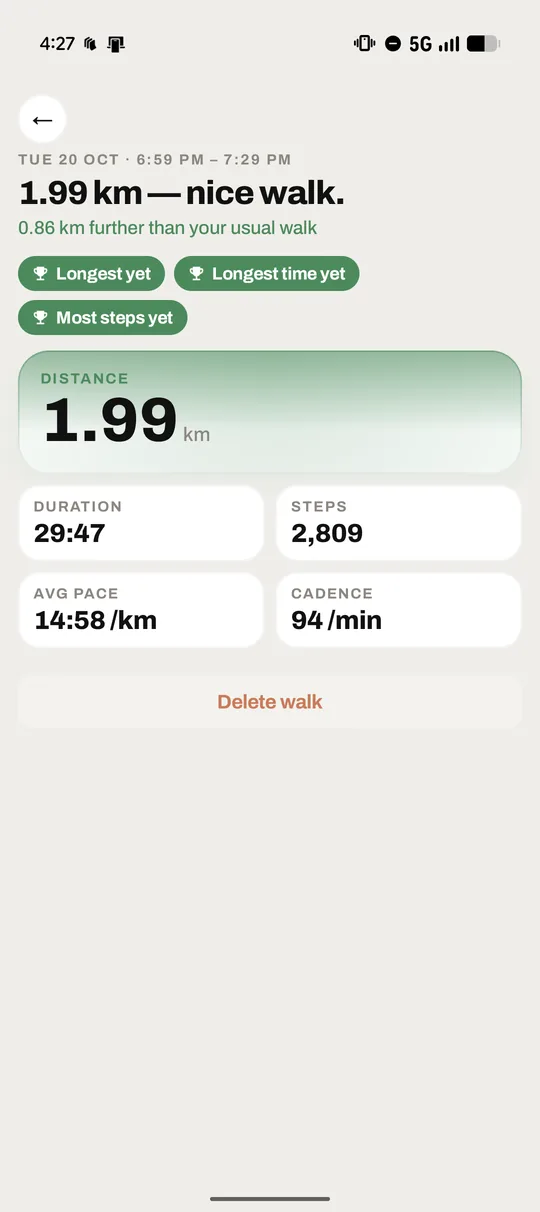
Cadentiq times a walk with the phone's step counter and GPS, then draws your route as a line on a card, with no map tiles, no map service and no place names. Distance comes from GPS, ignoring fixes less accurate than 25 m; where GPS can't see you walking, such as indoors or on a treadmill, that stretch counts by your steps instead, and without location permission distance is steps at a 0.75 m stride. Auto-pause holds the clock after 10 seconds with no step and under 1 m/s, and restarts on your next step. The route stays on your phone: it is never uploaded, and a shared route card shows only the shape, with no start or end marker.
How does Cadentiq sync with Health Connect?
Yes. Link a habit to one Health Connect metric: steps, exercise minutes, workouts or water, and it fills in from what your other fitness apps already record. From the day you link it, Health Connect's daily total is the habit's count, read when you open the app, before a reminder, and hourly in the background if you allow background reads. Water is the one count you can still add by hand: tap +1 and Cadentiq writes it to Health Connect too, so the total stays the single source and nothing counts twice. Workouts you time in Cadentiq are written to Health Connect as exercise sessions, and when two apps recorded the same workout it counts once. Each metric asks for its own permission. Health Connect is built into Android 14 and newer, and available from Google Play on older versions.
Is Cadentiq free?
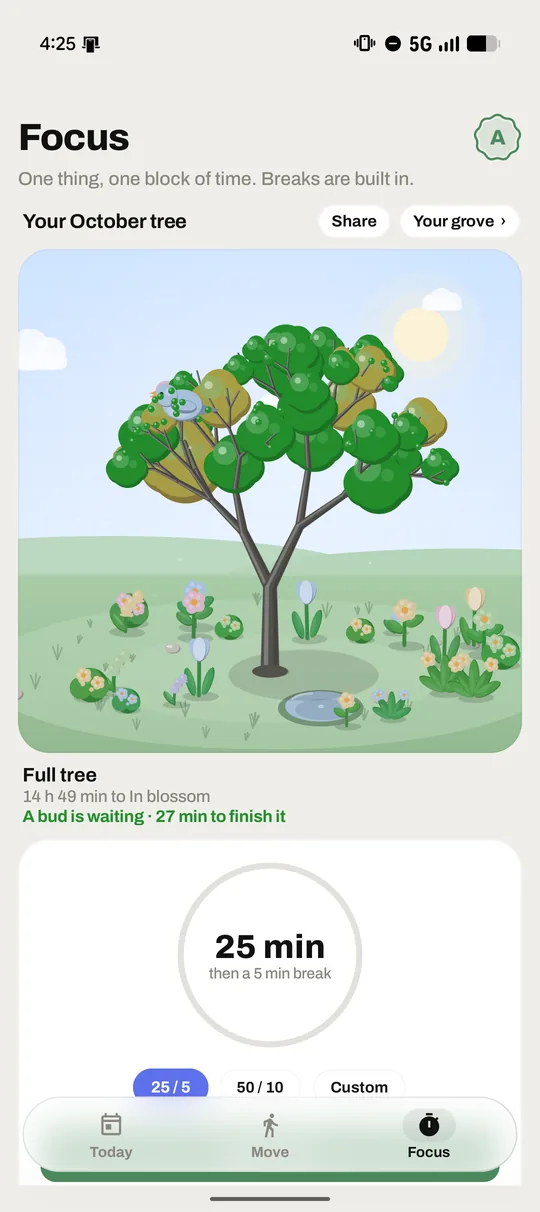
Yes, it's free to start. Free includes 3 habits with one reminder each, minimums, freezes, pause and skip, walks, workouts and Health Connect, the focus garden with the free presets, and your full history. Pro adds unlimited habits, several and repeating reminders, full-screen alarm reminders, home screen widgets, the Wear OS watch app, custom focus lengths, strict focus and Do Not Disturb. Prices are shown in Google Play, in your currency.
What happens if I miss a day?
A missed day isn't automatically a broken run. A freeze can cover it: you earn a new one every Sunday and keep a balance. Your 30-day rhythm line dips on a missed day and climbs back as you keep going, and paused or skipped days never move it.
What is a minimum?
Every habit has a worst-day version, like 5 push-ups instead of a 60-minute gym session. Do the minimum and the day still counts.
Which devices and languages does it support?
Cadentiq is an Android app in 14 languages. Layouts follow the window, so it looks right from a phone to a laptop, including Googlebook, with resizable windows, mouse and trackpad support and keyboard shortcuts. With Pro, a companion app brings today's habits, walks and alarms to Wear OS watches.
Is Cadentiq on Google Play yet?
Yes. Cadentiq is now on Google Play.